
Photo Attendance & Location Radius - Monitor Employee Attendance from Anywhere, Prevent Buddy Punching
Kasir Pintar Pro - Plugin
The Kasir Pintar StaffPlus Plugin makes it easy for owners to monitor employee attendance in real time - complete with selfie photos, location radius verification, and automatic reports

Employees clock in using a selfie photo directly from their phone
Ensures the location is verified
Real-time attendance dashboard can be monitored by owners from anywhere
Automatic attendance reports that are easy to understand
Easy shift scheduling directly from the Kasir Pintar Backoffice
*) Subscription starts from Rp / month
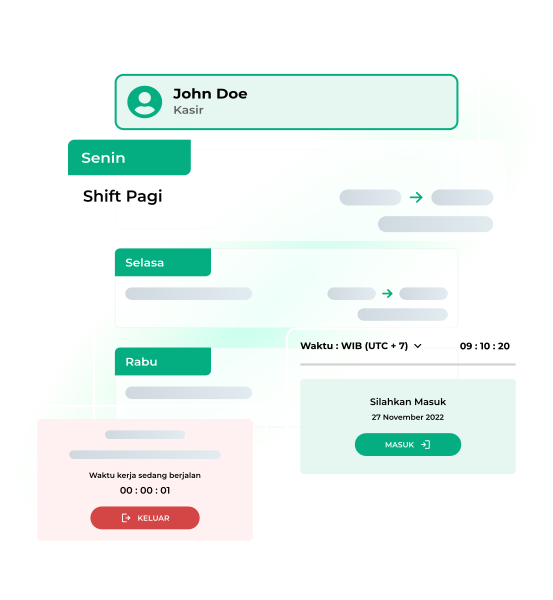
What is StaffPlus Plugin?
The StaffPlus Plugin is a tool that easily records and tracks employees' working hours and efficiently manages their attendance.
Price Rp / Month
Four Classic MSME Problems Solved by the Kasir Pintar StaffPlus Plugin
Buddy punching and fraud
The Kasir Pintar StaffPlus Plugin closes this loophole with selfie photo verification and location radius checks on every attendance record
Manual recaps waste time
The Kasir Pintar StaffPlus Plugin automates all recaps and generates Excel reports that are ready to download anytime
Unorganized shift schedules
The Kasir Pintar StaffPlus Plugin provides shift scheduling features that are directly integrated with the Kasir Pintar Backoffice
Cannot monitor remotely
The Kasir Pintar StaffPlus Plugin provides a real-time dashboard that can be accessed by owners from their phones anytime and anywhere
Top Features of the StaffPlus Plugin for Full Control Over Employee Attendance
Selfie Photo Attendance
Every clock-in and clock-out in the Kasir Pintar StaffPlus Plugin includes a real-time employee selfie photo. Owners can see attendance proof directly from the dashboard. No buddy punching, no manipulation
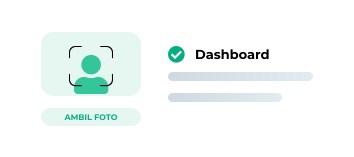
Location Radius
Owners set the store or office location radius in the Kasir Pintar StaffPlus Plugin. Employees can only clock in if they are within the configured radius. Attendance from outside the area will not be accepted by the system

Shift Scheduling
Daily, weekly, or recurring shift schedules are created directly from the Kasir Pintar Backoffice. The Kasir Pintar StaffPlus Plugin eliminates overlapping schedules and exhausting manual communication
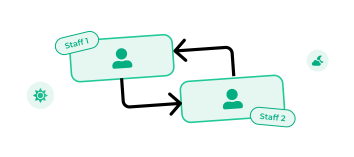
Real-Time Attendance Dashboard
All employee attendance data appears in real time on the Kasir Pintar StaffPlus Plugin dashboard. Owners can monitor from their phones anytime, even when they are away from the store
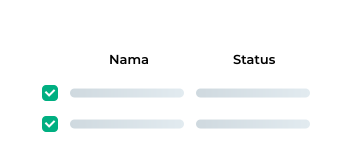
Excel Attendance Reports
Kasir Pintar StaffPlus Plugin attendance reports are available in Excel format and can be downloaded with one click

Prevent Transactions Outside Working Hours
The Kasir Pintar StaffPlus Plugin ensures the cashier only operates according to the assigned schedule

How It Works
Prepare Employee Accounts
The owner adds employee data in the Kasir Pintar Backoffice and sets their work schedules
Set Attendance Location Radius
The owner determines the valid attendance area for the store - only employees within that area can clock in
Employees Clock In via Selfie Photo
When arriving at work, employees open the Kasir Pintar Pro app and take a selfie photo to clock in
Clock Out & Automatic Recap
Employees clock out in the same way and the system automatically records working hours, lateness, and overtime
Activate the StaffPlus Plugin
The owner logs in to the Kasir Pintar website, goes to Settings, selects Plugin, and activates the Kasir Pintar StaffPlus Plugin
Add & Set Employee Schedules
The owner adds employee data and creates shift schedules from the Kasir Pintar Backoffice. It supports daily, weekly, or recurring schedules according to business SOPs
Monitor the Real-Time Dashboard
Owners can open the dashboard anytime to see who is present, late, not yet clocked in, or working overtime - from their phone anywhere they are
Download Monthly Reports
At the end of the period, attendance reports can be downloaded in Excel format with one click. Complete data is ready for payroll or employee performance evaluation
Kasir Pintar Trusted by More Than 2 Million Active MSMEs in Indonesia - From Small Shops to Restaurants
Kasir Pintar has been used by more than 2 million active MSMEs in Indonesia. The Kasir Pintar StaffPlus Plugin is trusted by thousands of businesses to manage employee attendance more easily and accurately.
100 K
Active SMEs
0 M +
Active SMEs
0/5
Play Store Rating
100
Transactions Processed
0M+
Transactions per Day
Rp 0
Starting Price
Reviews from Google Play Store
Join Over 2 Million SMEs Using Kasir Pintar
Starting from / month
Terms and Conditions
- The Kasir Pintar StaffPlus Plugin requires Kasir Pintar Pro (minimum version 3.9.4) or Kasir Pintar POS (minimum version 2.0.0)
- The Kasir Pintar StaffPlus Plugin requires activation Business Plugin (iOS) or Desktop Plugin (Mac/Windows) first
- The Kasir Pintar StaffPlus Plugin is activated via the Kasir Pintar dashboard by subscribing to the StaffPlus Plugin
Activation Process
- Download Kasir Pintar Pro or Kasir Pintar POS (iOS/Desktop)
- Log in to the Kasir Pintar website
- Go to Settings, then select Plugin and click 'Subscribe to the Kasir Pintar StaffPlus Plugin'
- Once the Kasir Pintar StaffPlus Plugin is active, access the Attendance menu and set employee schedules and location radius
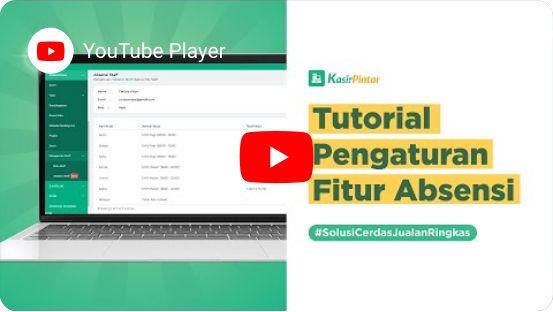
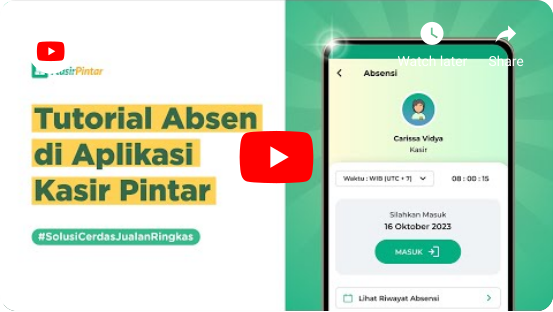
Attendance Usage Guide
Frequently Asked Questions
Everything You Need to Know About the Kasir Pintar StaffPlus Plugin
The Best Attendance Plugin for MSMEs & Small Businesses
Control Employee Attendance More Easily, More Accurately
Rp 0 /
month
The Kasir Pintar StaffPlus Plugin provides selfie attendance - no buddy punching
The Kasir Pintar StaffPlus Plugin verifies the location radius - attendance is only possible within the store area
The Kasir Pintar StaffPlus Plugin provides a real-time dashboard - monitor from anywhere
The Kasir Pintar StaffPlus Plugin generates automatic Excel reports - monthly recaps without manual work
100 K
Active SMEs
0 M +
Active SMEs
0/5
Rating
100
Transactions
0M+
Transactions
Activate the Kasir Pintar StaffPlus Plugin Now
 Activate Plugin Now
Don’t Have a Kasir Pintar Account Yet?
Try Kasir Pintar Pro Free for 30 Days
Starting from / month
Start Business
With Kasir Pintar
Run a business automatically with the Kasir Pintar Application and Free Trial for
30 Days without conditions

Kasir Pintar
Other Products
Office Surabaya
Head Office: Jl. Dr. Ir. H. Soekarno No.19, Medokan Semampir, Kota Surabaya
Office Malang
Branch Office: Jl. Papa Biru No.80, Tulusrejo, Kec. Lowokwaru, Kota Malang, Jawa Timur 65141
Info Kasir Pintar via AI